
Tag: screen-time

  • How Much Exercise Kids Need

    BE FIT

    Father and young daughter about to exercise.

    Being inactive isn’t good for children’s health. Kids can have health problems related to being inactive, such as:

    *  Sleep problems

    *  Type 2 diabetes

    *  Excess weight

    *  High blood cholesterol

    How much exercise is enough?

    Preschool children should be active throughout the day. School aged children should get at least one hour of moderate to intense activity every day. Some exercise is better than none. If your child isn’t active now, start with a few minutes of exercise each day. Gradually increase the time and intensity of their exercise as they get more fit.

    What is ‘moderate to intense activity’ for children?

    When your child is doing moderate to intense activity, their heartbeat will speed up. They will breathe much harder than normal.

    This type of activity can be walking or biking at a brisk pace. It can also be more intense, like jumping on a trampoline or swimming. Whatever your child likes to do, encourage them to do it every day!

    Know the types of exercise

    Exercise doesn’t have to be the same thing all the time. Try to encourage your child to do all three types throughout each week:

    Aerobic exercise

    Anything that speeds up your child’s heart rate. It can include:

    *  Brisk walking

    *  Bike riding

    *  Swimming

    *  Running

    *  Dancing

    *  Playing games that require running and throwing

    Muscle-strengthening exercise

    These exercises build up muscles, which is important for lifelong fitness. Examples include:

    *  Climbing

    *  Push-ups

    *  Lunges

    *  Yoga

    *  Resistance bands

    *  Hand-held weights

    Bone-strengthening

    This puts pressure on bones. Pressure from exercise helps the bones rebuild and stay strong. Exercises include:

    *  Jumping

    *  Running

    *  Skipping

    *  Sports that require running and stopping, like basketball or soccer

    Source: Centers for Disease Control and Prevention

    © American Institute for Preventive Medicine
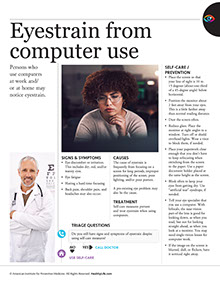
  • Eyestrain From Computer Use

    Eye Conditions

    Persons who use computer video display terminals (VDTs) at work and/or at home may notice eyestrain.

    Signs & Symptoms

    *  Eye discomfort or irritation. This includes dry, red, and/or watery eyes.

    *  Eye fatigue.

    *  Having a hard time focusing.

    *  Back pain, shoulder pain, and headaches may also occur.

    Causes

    The cause of eyestrain is most likely from conditions that surround the VDT, not the VDT itself. These include improper positioning of the VDT and supplies, poor lighting, and/or poor posture.

    A pre-existing eye problem may also be the cause.

    Treatment

    Self-care measures prevent and treat eyestrain when using VDTs.

    Questions to Ask

    Self-Care / Prevention

    *  Place the screen so that your line of sight is 10 to 15 degrees (about one-third of a 45-degree angle) below horizontal.

    *  Position the VDT screen about 2 feet away from your eyes. This is a little farther away than normal reading distance.

    *  Dust the screen often.

    *  Reduce glare. Place the VDT at right angles to a window. Turn off or shield overhead lights. Wear a visor to block them, if needed.

    *  Place your paperwork close enough that you don’t have to keep refocusing when switching from the screen to the paper. Use a paper document holder placed at the same height as the VDT screen.

    *  Blink often to keep your eyes from getting dry. Use “artificial tear” eyedrops, if needed.

    *  Tell your eye specialist that you use a VDT. Glasses and contacts worn for other activities may not be good for VDT work. With bifocals, the near-vision part of the lens is good for looking down, as when you read, but not for looking straight ahead, as when you look at a video display screen. You may need single-vision lenses for VDT work.

    *  If the image on the VDT screen is blurred, dull, or flickers, have it serviced right away.

    Resources

    Prevent Blindness America

    www.preventblindness.org

    Healthier at Home book by the American Institute for Preventive Medicine. www.HealthyLife.com. All rights reserved.

    © American Institute for Preventive Medicine

  • 5 Ways To Fight Childhood Obesity

    FAMILY LIFE

    Image of boy with a glass of milk and an apple.

    Parents should set the example and be persistent, said Dr. Felipe Lobelo, who specializes in nutrition, physical activity, and obesity at the CDC.

    1.Eat more fruits and vegetables.Serve vegetables your kids are most likely to eat.

    2.Spend less time in front of a screen.Place limits on the amount of time kids spend in front of a TV or computer-no more than 2 hours a day is a good guide.

    3.Exercise more.Just play outside for at least an hour a day.

    4.Eliminate sugary drinks.Avoid soft drinks, juices, and energy drinks. Encourage kids to drink water.

    5.Set the example.Good eating habits start at home.

    © American Institute for Preventive Medicine

  • Avoid The Aches And Pains Of Technology

    SELF-CARE CORNER

    Image of business man with laptop and smart phone.

    You can prevent BlackBerry thumb and text neck-new ailments that came with devices such as smartphones and BlackBerries and their small keyboards, advises the American Chiropractic Association.

    *  Avoid typing for more than 3 minutes without a break.

    *  Keep messages short and simple; abbreviate.

    *  Practice using other fingers for typing, especially when thumbs hurt.

    *  Don’t slouch when texting.

    *  Keep wrists upright, straight and close to the body when holding a device.

    *  Don’t bend your neck excessively when texting; tuck your chin in instead and look down.

    *  Turn your devices off on the weekends (or at least on Sunday).

    *  Get outside, exercise and enjoy nature too. Balance is key to staying healthy.

    For more tips on proper use of technology and good health, visitwww.TechnoHealthy.com.

    © American Institute for Preventive Medicine

  • Eye-Popping Facts

    WELL-BEING

    Image of 2 young brothers using a tablet at bedtime.

    Kids (and adults) are spending hours using electronics such as iPads, video games, computers, and smartphones. How much is too much for your eyes when it comes to digital device use?

    Eye strain or Computer Vision Syndrome (CVS) is a serious condition that can cause back and neck pain, dry eye, and even headaches. Statistics show that 80% of what we learn is through our eyes, which means that digital eyestrain and CVS can have a major impact on productivity and success.

    VSP optometrist, Dr. Nate Bonilla-Warford suggests these eye-easing ways to avoid digital eye strain:

    *Blink often:When looking at a computer or hand-held digital device, it’s common for you to blink 2 to 3 times less than you normally would. This can lead to “dry eye.” Blinking bathes your eyes in tears, and tears are naturally helpful for the eyes.

    *Follow the 20/20/20 rule:When spending long periods in front of a digital device, every 20 minutes, spend 20 seconds looking at something 20 feet away to allow your eyes to rest.

    *Ensure proper lighting:Poor lighting often causes eye strain. To help ease the strain on your eyes, keep bright lighting overhead to a minimum and position your desk lamp to shine on your desk, and not at you.

    *Wear it:If you or your child wears prescription glasses-for digital use or otherwise-make sure to have them on.

    © American Institute for Preventive Medicine

  • Summer With Less Screens

    FAMILY LIFE

    Image of grandparents playing basketball with grandkids.

    When the kids are home from school for the summer, it can be hard to avoid technology. Kids (and adults) are used to constant entertainment from the television, computer, smartphones and tablets. But, reducing screen time can have many benefits for families:

    *  Boredom is a great way for kids to learn to be creative. If they’re always entertained by a screen, kids don’t have a chance to be bored and to learn how to entertain themselves.

    *  Sitting in front of a screen means time not spent getting exercise.

    *  Some studies suggest that too much screen time can lead to behavior problems, lack of good thinking skills, and sleep problems.

    It’s not always realistic to avoid screens completely. If you can’t, look for ways to limit screen time. Try these tips:

    *  Choose certain times of day to be screen-free. For instance, you can choose to let kids have 30 minutes of screens after lunch, but morning is for screen-free play.

    *  Watch the clock. Decide on a daily limit of screen time, such as two hours, and stick with it. Consistent rules help kids know what they can expect each day, so there is less complaining.

    *  Visit the library. If you can get kids to read books they like, they won’t miss screens as much.

    *  When you do watch TV, watch shows together as a family. Choose educational shows when possible.

    Have a plan

    A family media plan can help you stay on track with screen time. Create yours atwww.healthychildren.org/English/media.

    © American Institute for Preventive Medicine

  • Turn Off, Tune In

    FAMILY LIFE

    Image of family sitting on couch watching TV.

    Parents, turn off the television when your children are with you. And when you do let them watch TV, make sure the programs stimulate their interest in learning.

    That’s the advice arising from University of Iowa researchers who examined the impact of television and parenting on children’s social and emotional development.

    The researchers found that background television-when the TV is on in a room where a child is doing something other than watching-can divert a child’s attention from play and learning. It also found that non-educational programs can negatively affect children’s mental development.

    Best advice:Sit down and watch a TV show. When it’s over, turn off the TV.

    © American Institute for Preventive Medicine

  • Video Warfare

    FAMILY LIFE

    Image of two kids playing video games.

    Children learn from video games, say Iowa State University psychology professors. So parents may want to shop smart when choosing games for their children. Even if the content is unrealistic or cartoonish, kids learn good behaviors (playing drums) or bad behaviors (aggressive tactics) by practicing.

    Professors Craig Anderson and Doug Gentile-leading experts on the effects of video games on young people and authors of the book Violent Video Game Effects on Children and Adolescents, say, “Parents and researchers initially believed that what mattered most about violent games was how realistic and bloody they were. Our research now suggests that what matters most is whether you have to harm other characters to advance in the game.”

    Follow their advice to parents before making a video game purchase for children:

    *  Play the game, have someone else demonstrate it for you, or look at clips from the game on the game’s website.

    *  Then ask yourself the following questions: Does the game involve some characters trying to harm others? Does this happen frequently, more than once or twice in 30 minutes? Is the harm rewarded in any way? Is the harm portrayed as humorous? Are nonviolent solutions absent or less “fun” than the violent ones? Are realistic consequences of violence absent from the game?

    Two or more yes answers should cause parents to think carefully about the lessons being taught before purchasing that game for children. Some sports and fun music games may be better choices than warfare games.

    © American Institute for Preventive Medicine