Tag: technology

  • Caring For Family From Afar

    FAMILY LIFE

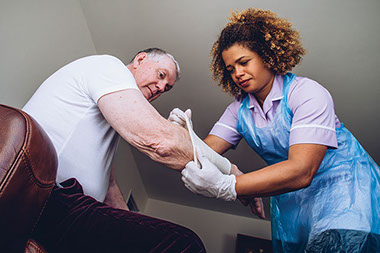
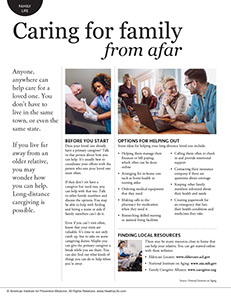
    Nurse helping patient at home.

    Anyone, anywhere can help care for a loved one. You don’t have to live in the same town, or even the same state. If you live far away from an older relative, you may wonder how you can help. Long-distance caregiving is possible.

    Before you start

    Does your loved one already have a primary caregiver? Talk to that person about how you can help. It’s usually best to coordinate your efforts with the person who sees your loved one most often.

    If they don’t yet have a caregiver but need one, you can help with that too. Talk to other family members and discuss the options. You may be able to help with finding and hiring a nurse or aide if family members can’t do it.

    Even if you can’t visit often, know that your visits are valuable. It’s time to not only catch up, but to take on some caregiving duties. Maybe you can give the primary caregiver a break while you are there. You can also find out what kinds of things you can do to help when you’re away.

    Options for helping out

    Some ideas for helping your long-distance loved one include:

    *  Helping them manage their finances or bill paying, which often can be done online

    *  Arranging for in-home care such as home health or nursing aides

    *  Ordering medical equipment that they need

    *  Making calls to the pharmacy for medication when they need it

    *  Researching skilled nursing or assisted living facilities

    *  Calling them often to check in and provide emotional support

    *  Contacting their insurance company if there are questions about coverage

    *  Keeping other family members informed about their health and needs

    *  Creating paperwork for an emergency that lists their health conditions and medicines they take

    Finding local resources

    There may be many resources close to home that can help your relative. You can get started online with these websites:

    *  Eldercare Locator:www.eldercare.acl.gov

    *  National Institute on Aging:www.nia.nih.gov

    *  Family Caregiver Alliance:www.caregiver.org

    Source: National Institute on Aging
    © American Institute for Preventive Medicine

  • Own Your Work From Home

    WORK LIFE

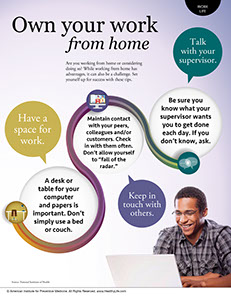
    Man working on laptop.

    Are you working from home or considering doing so? While working from home has advantages, it can also be a challenge. Set yourself up for success with these tips.

    Talk with your supervisor.

    Be sure you know what your supervisor wants you to get done each day. If you don’t know, ask.

    Keep in touch with others.

    Maintain contact with your peers, colleagues and/or customers. Check in with them often. Don’t allow yourself to “fall of the radar.”

    Have a space for work.

    A desk or table for your computer and papers is important. Don’t simply use a bed or couch.

    © American Institute for Preventive Medicine
  • Are Fitness Trackers Worth The Hype?

    BE FIT

    Image of women with a fitness tracker.

    Fitness bands, also called wearable health trackers, have become a popular trend in the last few years. Millions of these devices have been sold, but can they help you get healthy?

    What they do

    Most fitness trackers have features that act like a pedometer, counting your steps and other physical activity. Their features vary widely, however. Some trackers simply tell you how many steps you take in a day. Others are designed to be worn during exercise, such as running, and may track your distance and show your route. Other trackers are waterproof and designed to be worn when swimming.

    Many trackers also record quality and length of sleep. Because they have a movement sensor, they can determine how many times you woke and when you were in deep sleep.

    Most of them are designed to be used with an app on your smartphone, where you can see how you’re doing and make improvements where needed.

    Improving health with a tracker

    It can be helpful to know how many steps you take and how well you’ve slept. But keep in mind that these devices aren’t perfect. For instance, if you walk while pushing a stroller, a tracker worn on your wrist may not count your steps because your arms aren’t swinging.

    Sleep tracking can also be helpful, but won’t be a magic fix. Some trackers assume you’re in a deep sleep because you don’t move around. But, some people just naturally move less during the night, even if their sleep quality isn’t great. This may lead to incorrect information that makes you think you’re sleeping better than you actually are.

    Your body may be the best gauge when it comes to your health. When you don’t sleep well, you’ll feel sluggish. And you can easily keep track of any exercise you do with a fitness diary or a simple notebook. As for step counting, these devices are helpful, but an old-fashioned pedometer can work just as well.

    Alternatives to fitness trackers

    If you don’t have – or want – one of these devices, there are still ways you can get healthy with technology. Many apps that work with a smartphone can help you track movements and sleep, and others help you manually record things like mood, stress levels, and menstrual cycles. These require you to carry your smartphone with you, but don’t use any wearable devices.

    © American Institute for Preventive Medicine

  • Avoid The Aches And Pains Of Technology

    SELF-CARE CORNER

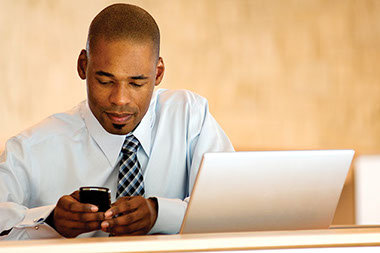
    Image of business man with laptop and smart phone.

    You can prevent BlackBerry thumb and text neck-new ailments that came with devices such as smartphones and BlackBerries and their small keyboards, advises the American Chiropractic Association.

    *  Avoid typing for more than 3 minutes without a break.

    *  Keep messages short and simple; abbreviate.

    *  Practice using other fingers for typing, especially when thumbs hurt.

    *  Don’t slouch when texting.

    *  Keep wrists upright, straight and close to the body when holding a device.

    *  Don’t bend your neck excessively when texting; tuck your chin in instead and look down.

    *  Turn your devices off on the weekends (or at least on Sunday).

    *  Get outside, exercise and enjoy nature too. Balance is key to staying healthy.

    For more tips on proper use of technology and good health, visitwww.TechnoHealthy.com.

    © American Institute for Preventive Medicine

  • Wired And Dangerous

    FAMILY LIFE

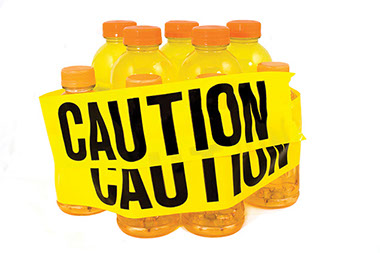
    Image of sport drinks with yellow "Caution" tape wrapped around the bottles.

    Parents beware. If your tots and teens get their hands on your energy drinks, they could experience seizures, heart palpitations, or other problems that drive them to the hospital ER.

    Children most at risk appear to be those who regularly consume the increasingly popular caffeine-laden energy drinks or gulp down a relatively large amount of the liquid in a short span, according to Rutgers University’s poison control experts.

    “These drinks are made for adults. When young children drink them, they consume a large quantity of caffeine for their body mass. At the minimum, they become wired-just as an adult would-and it might be difficult for parents to console them or calm them down,” said Bruce Ruck, director of drug information and professional education for the New Jersey Poison Information & Education System at Rutgers.

    “Children also might have trouble falling asleep or experience tremors, anxiety, agitation, heart palpitations, nausea or vomiting. Of more concern, they may experience a rapid heart rate or seizures,” he said.

    Ruck also said that, in addition to large amounts of caffeine, most energy drinks contain sweeteners, vitamins, and maybe herbal products, some of which may hold hidden risks for certain people.

    *  Don’t let kids be lured by the “rock star” graphics  on the cans that look like soda pop.

    *  Store drinks on a high shelf, away from the view  of kids.

    *  Monitor and limit your teens’ exposure to these drinks. Mixing them with alcohol or a rigorous workout can cause death.

    *  The journal Clinical Toxicology has reported that children under age 6 who consumed caffeine-infused energy drinks accounted for more than half of the energy drink-related poisonings involving children. The American Medical Association is calling for a ban on marketing energy drinks to children under 18.

    © American Institute for Preventive Medicine

  • 3 Keys To A Virtual Family Gathering

    FAMILY LIFE

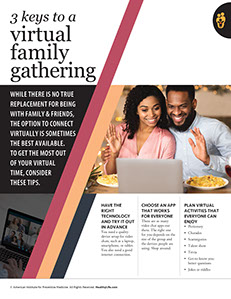
    Couple waving in front of a computer screen while have dinner.

    While there is no true replacement for being with family & friends, the option to connect virtually is sometimes the best available. To get the most out of your virtual time, consider these tips.

    Have the right technology and try it out in advance

    You need a quality device setup for video chats, such as a laptop, smartphone, or tablet. You also need a good internet connection.

    Choose an app that works for everyone

    There are so many video chat apps out there. The right one for you depends on the size of the group and the devices people are using. Shop around.

    Plan virtual activities that everyone can enjoy

    *  Pictionary

    *  Charades

    *  Scattergories

    *  Talent show

    *  Trivia

    *  Get-to-know-you-better questions

    *  Jokes or riddles

    © American Institute for Preventive Medicine